Manage
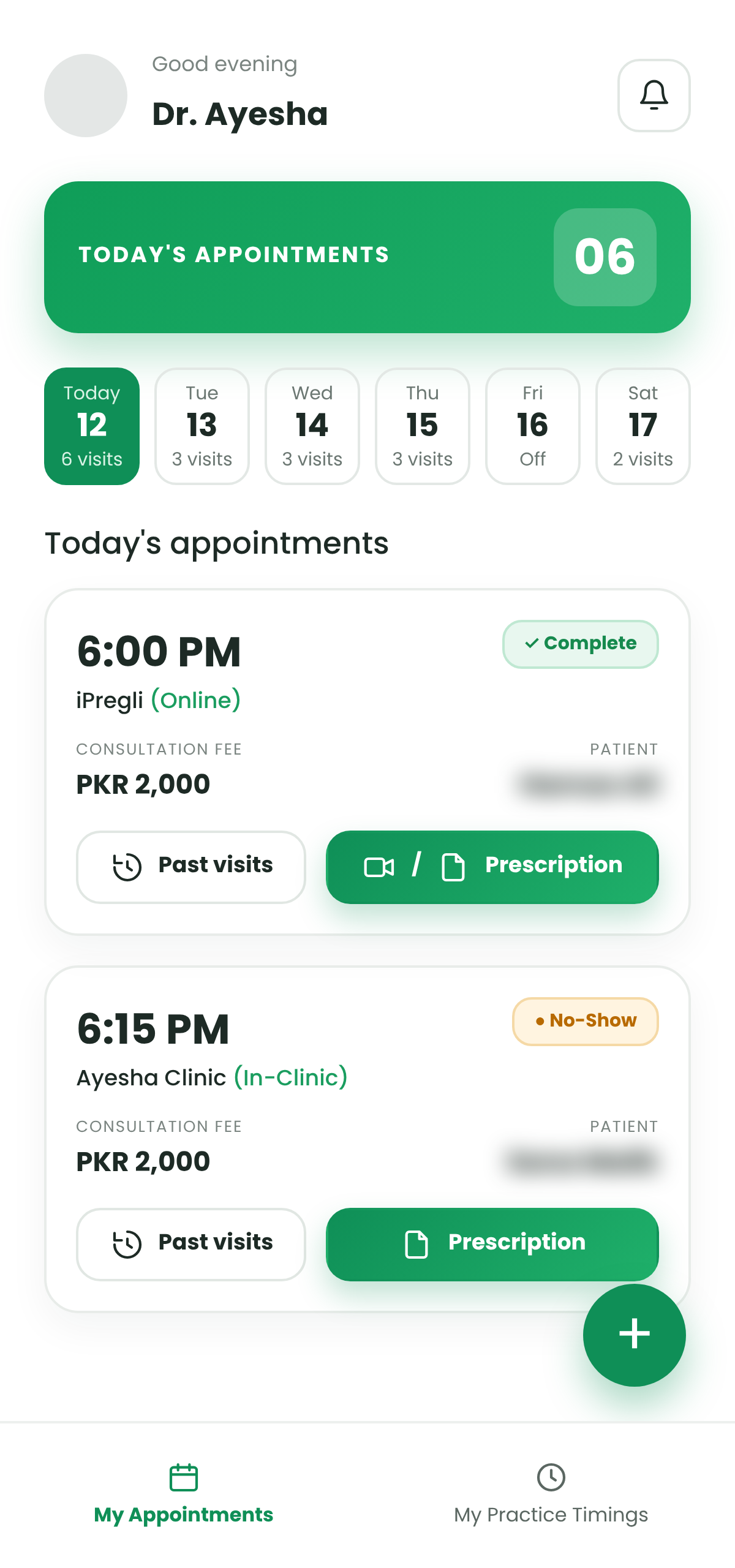
Your day at a glance. Every appointment with time, patient, clinic and fee in one list.
 Built for doctors
See today's appointments, set your timings, mark leave and write prescriptions, for online and in-clinic visits, all from one lightweight app.


Three things done well, in an app that stays light and easy to use between patients.
Your day at a glance. Every appointment with time, patient, clinic and fee in one list.
Set weekly timings per clinic, choose slot length, and block leave or holidays when you need a break.
Write history, prescription and notes, attach reports, set a follow-up and complete the visit.
From a daily appointment list to a full visit history, built around the way doctors actually work.
A clear daily list with time, clinic, patient, consultation fee and status such as Complete or No-Show.
Handle video consultations and clinic visits side by side, with each appointment tagged by where it happens.
Pick an existing patient or add a new one with name, mobile and email, then choose the date and time.
Set hours for each day and clinic, add more than one time window, and pick 5, 10 or 15 minute slots.
Block a full day or only certain slots, for one clinic or all of them, so no one can book while you are away.
Search past visits by date, appointment number and service, and open reports, prescriptions or print in one tap.
Upload lab or test reports against a visit with a date and a short comment, and keep them in a tidy list.
Record history, complaints, diagnosis and medicines, add doctor notes and set a follow-up date.
Sign in with your email or username and password to reach your own schedule and patients.
Pick a screen to see how it works.
Open the app and see exactly who is coming, when and where. Switch between days from the date strip at the top.


Search by contact number to pick an existing patient, or leave it empty and enter details for a new one.

Choose which days you work, add one or more time windows per day, and switch between your clinics.


Block exactly what you need. A whole day, or just a few slots, for one clinic or all of them.
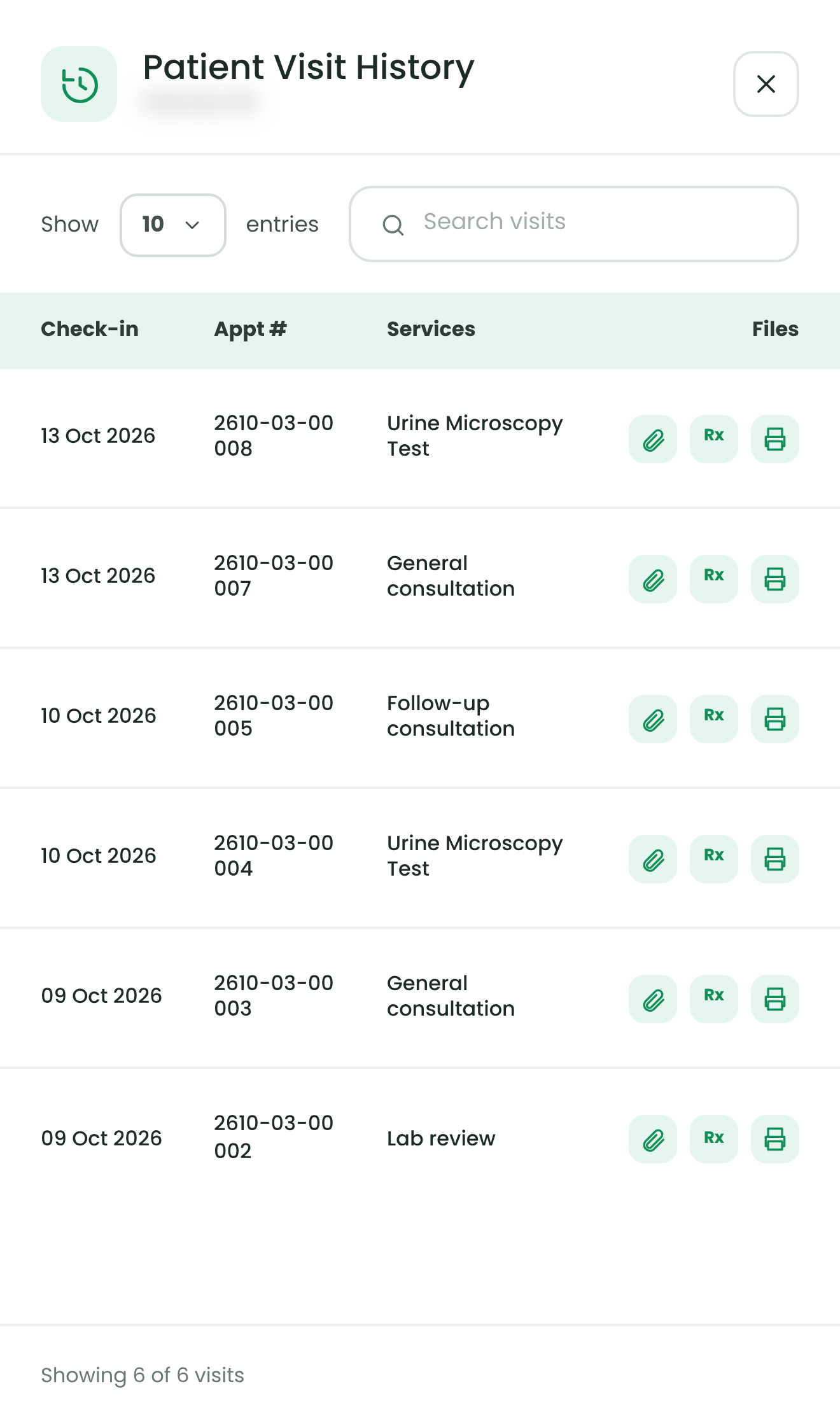
Open a patient's history before the consultation and see what happened last time.
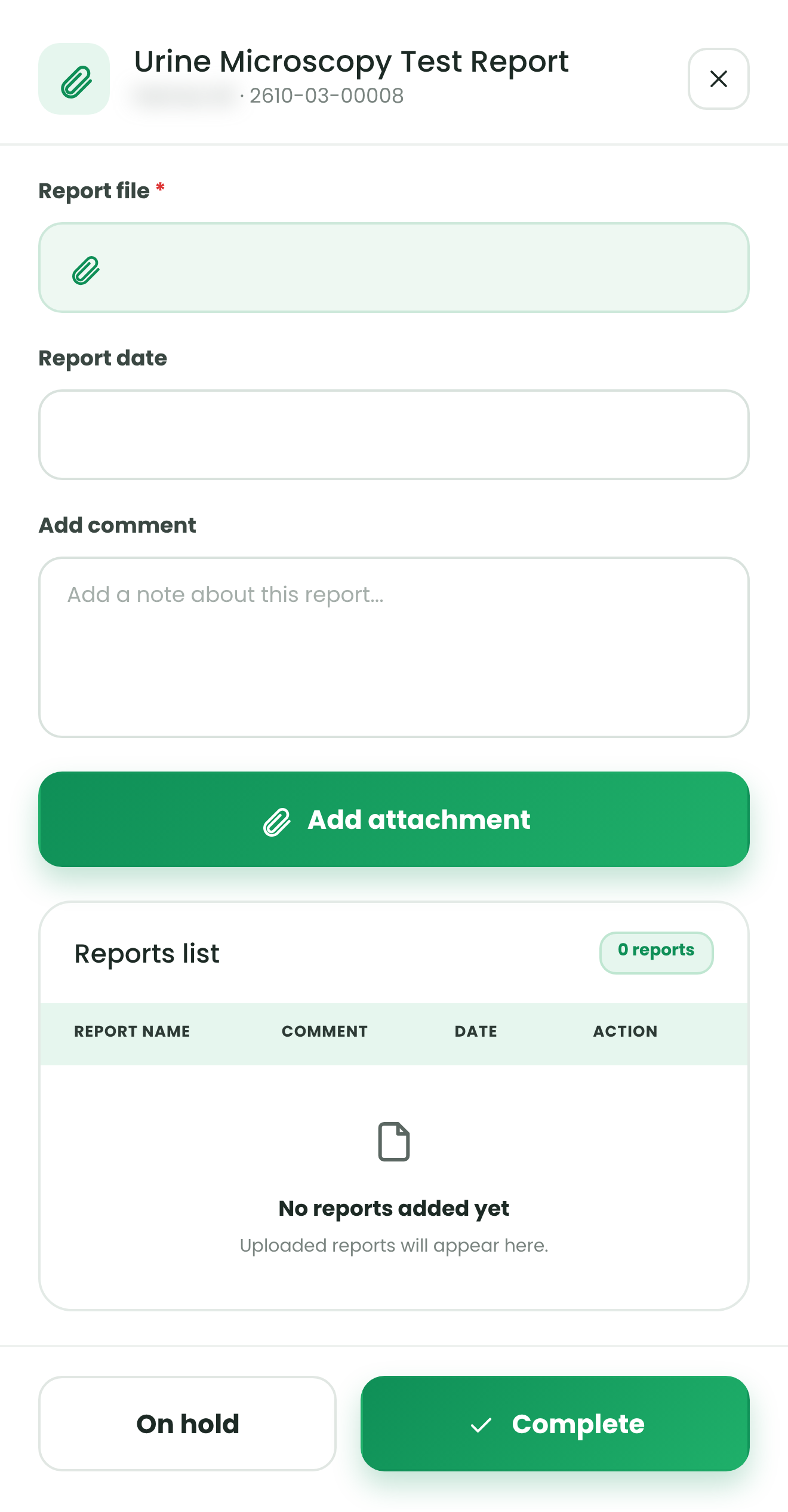
Attach a lab or test report to the right appointment, so results are never lost in a chat thread.
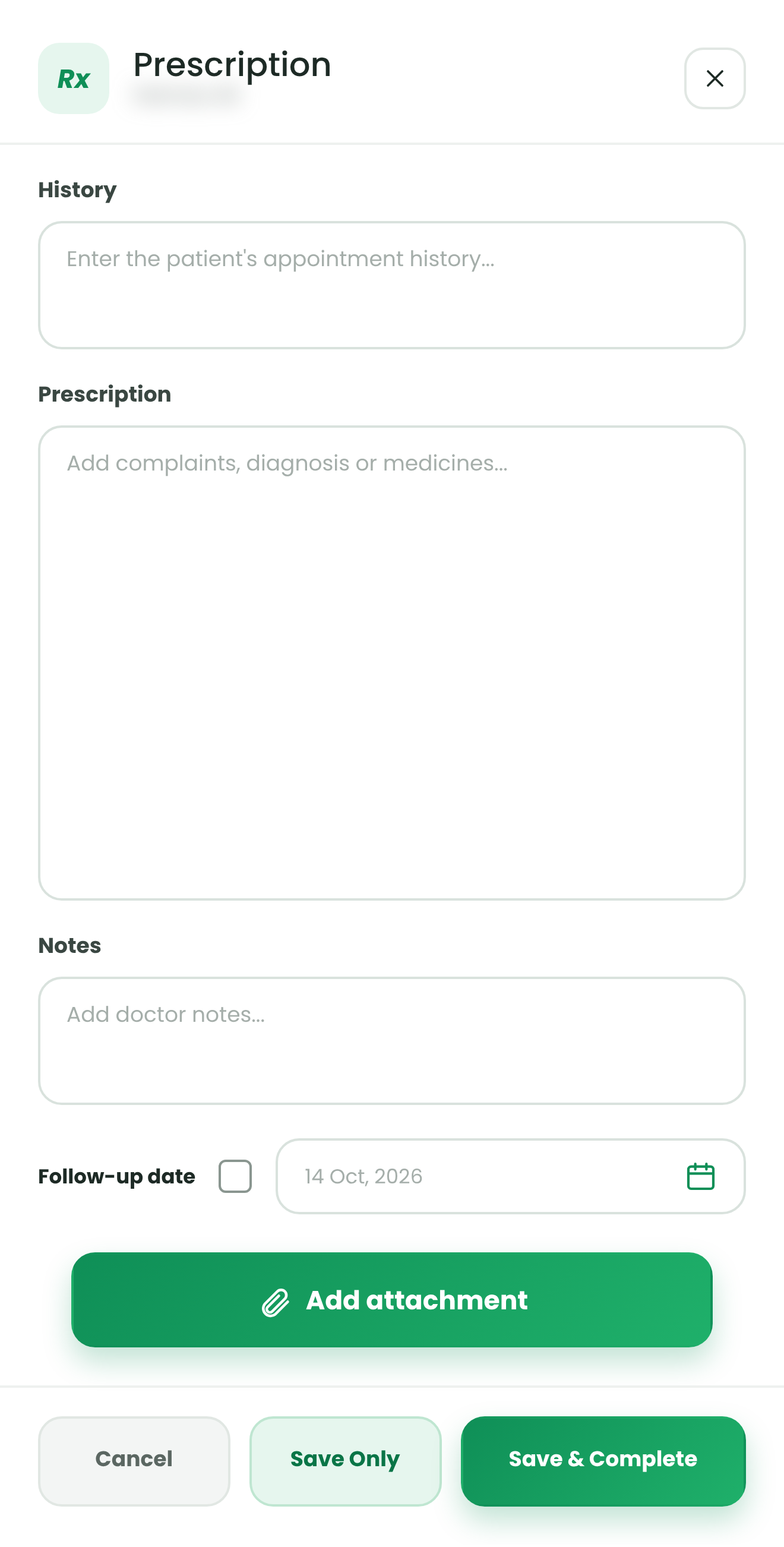
One form for the patient's history, complaints, diagnosis and medicines, plus your private notes.
Log in with your Techsacare doctor email or username and your password.
Add your working days and hours for each clinic, and pick your slot length.
Check appointments, open past visits, write prescriptions and complete each visit.
Dr's Practice by Techsacare is a simple app that helps doctors manage daily appointments, practice timings, leave, visit history and prescriptions in one place.
Yes. Each appointment shows where it takes place, such as an online consultation or a specific clinic, and you can set separate timings for each.
Tap the plus button, then either choose an existing patient or leave the selection empty and enter the mobile number, email and name of the new patient.
Yes. Use Mark leave or Mark holiday to block a full day or only selected slots, for one clinic or all clinics.
Yes. From the visit history you can attach a report file with its date and a comment, and see all reports for that visit in a list.
Dr's Practice is for doctors on Techsacare. If you do not have login details yet, contact the Techsacare team and they will help you get started.

Get in touch with the Techsacare team and get your schedule in order in minutes.
Contact TechsacareDr's Practice by Techsacare